Simple TESS data interface tutorial
Tutorial Summary
This tutorial shows how to use several convenience functions in the ramjet package to quickly download,
view, and find additional information about TESS lightcurves. For the time being, this is only
for 2-minute cadence TESS lightcurves.
Setup
All that’s needed for this tutorial is to install the ramjet pip package using:
pip install astroramjet
All the functions below are methods of the TessDataInterface class. So we need to create an instance of this
class to use the rest of the commands. Either from a Python console, or in a Python script, create the instance object
using:
from ramjet.data_interface.tess_data_interface import TessDataInterface
tess_data_interface = TessDataInterface()
Download a TESS lightcurve
To download a lightcurve, use a command like:
tess_data_interface.download_lightcurve(tic_id=370101492, sector=12, save_directory='lightcurves')
This will create a directory called “lightcurves” in the current working directory (if it doesn’t exist), and download into it the lightcurve FITS file for TIC 370101492 in sector 12.
Plot a lightcurve from MAST
This provides a single line to plot a lightcurve from MAST for quick viewing (this also performs the download).
tess_data_interface.plot_lightcurve_from_mast(tic_id=370101492, sector=12)
This will generate an interactive Matplotlib window plotting the lightcurve.
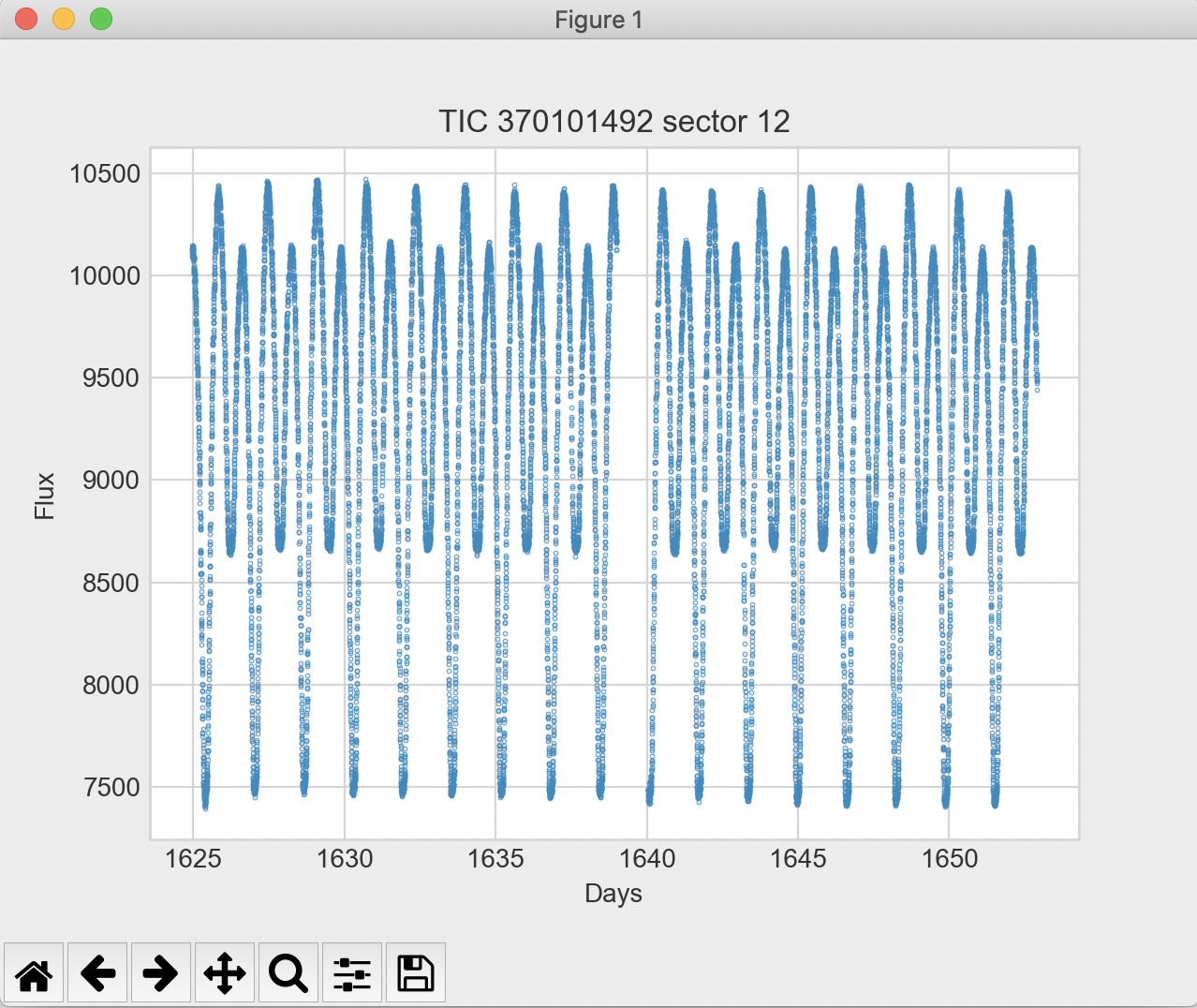
The lightcurve is downloaded to a temporary directory, so you don’t need to worry about cleanup. You can also pass
base_data_point_size=10 to increase the point plotting size (10 can be swapped with any size). This helps when
zooming into a view that will have much less data points.
Checking for known variability
Running
tess_data_interface.print_variables_near_tess_target(tic_id=59661876)
will print any known stellar variability source near the TIC target. This information is based on the General Catalogue of Variable Stars.
Checking for known planets
Checking for known planets requires a separate data interface. Running
from ramjet.data_interface.tess_toi_data_interface import TessToiDataInterface
tess_toi_data_interface = TessToiDataInterface()
tess_toi_data_interface.print_exofop_planet_dispositions_for_tic_target(tic_id=425997655)
will print any known Exoplanet Follow-up Observing Program planet dispositions for the passed TIC ID.